
See below for light patterns for each modem type.
Note: If you have a Calix 725 model, the modem will not be accessible to check the lights.
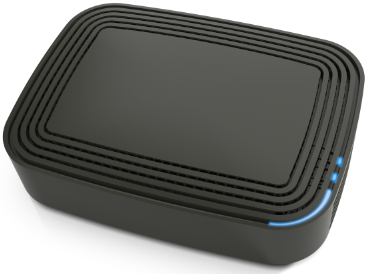
Sagemcom F@st 5681
The fibre optic modem has 3 status lights. The long light on the corner of the unit indicates the Internet status, and the 2 smaller lights beside it indicate the phone status. See below for what each colour and light pattern combination means.
| Status (Internet) | Off | No power to the unit |
| Blue - Solid | Internet service is active | |
| Blue - Flashing | Unit is powering up and/or finding a connection | |
| Red - Flashing | Unit is not connected or not set up for Internet | |
| Alternating Red and Yellow | Loss of signal | |
| Voice1 and Voice2 (Phone) | Off | Unit is not set up for phone, or is unable to establish connection |
| Blue - Solid | Phone service is active | |
| Blue - Flashing | A phone is off the hook |
Note: Voice2 will only be lit if you subscribe to a second phone line.
Calix 803 or 812
| Power | Off | No power to the unit |
| Green - Flashing | Unit is booting up and performing self-tests | |
| Green - Solid | Normal operation | |
| Red | Boot-up failure | |
| Amber - Flashing | Unit is performing a software upgrade and may reboot when complete. | |
| Broadband | Off | No fibre signal detected |
| Red | Fibre signal detected but failing to connect | |
| Green | Normal operation | |
| Service | Off | No Internet service (no physical connection or unit not set up for Internet) |
| Green | Normal operation | |
| Ethernet | Off | No Ethernet connected, or connected device not powered up |
| Green - Solid | Device connected to Ethernet but no traffic present | |
| Green - Flashing | Normal operation | |
| Phone | Off or red | Unit is not set up for phone |
| Green - Solid | Normal operation (phone on-hook) | |
| Green - Flashing | Call in progress |
Comments
0 comments
Please sign in to leave a comment.